
Schema Markup for Immigration Law Firms: LegalService, Person, and FAQPage Explained
 Yemi Oyedepo
·
Published October 29, 2026
·
9 min read
Short answer: A law firm website can use LegalService to describe the firm, Person to describe an attorney or author, and FAQPage to describe a page of questions and answers. Each fits only where the visible content matches it. These types serve different purposes, and none guarantees higher rankings or AI citations.
Schema markup is the part of technical SEO most often sold as a checkbox. A plugin adds a block of code, a report says "schema: done," and nobody checks whether the code says anything accurate about the firm.
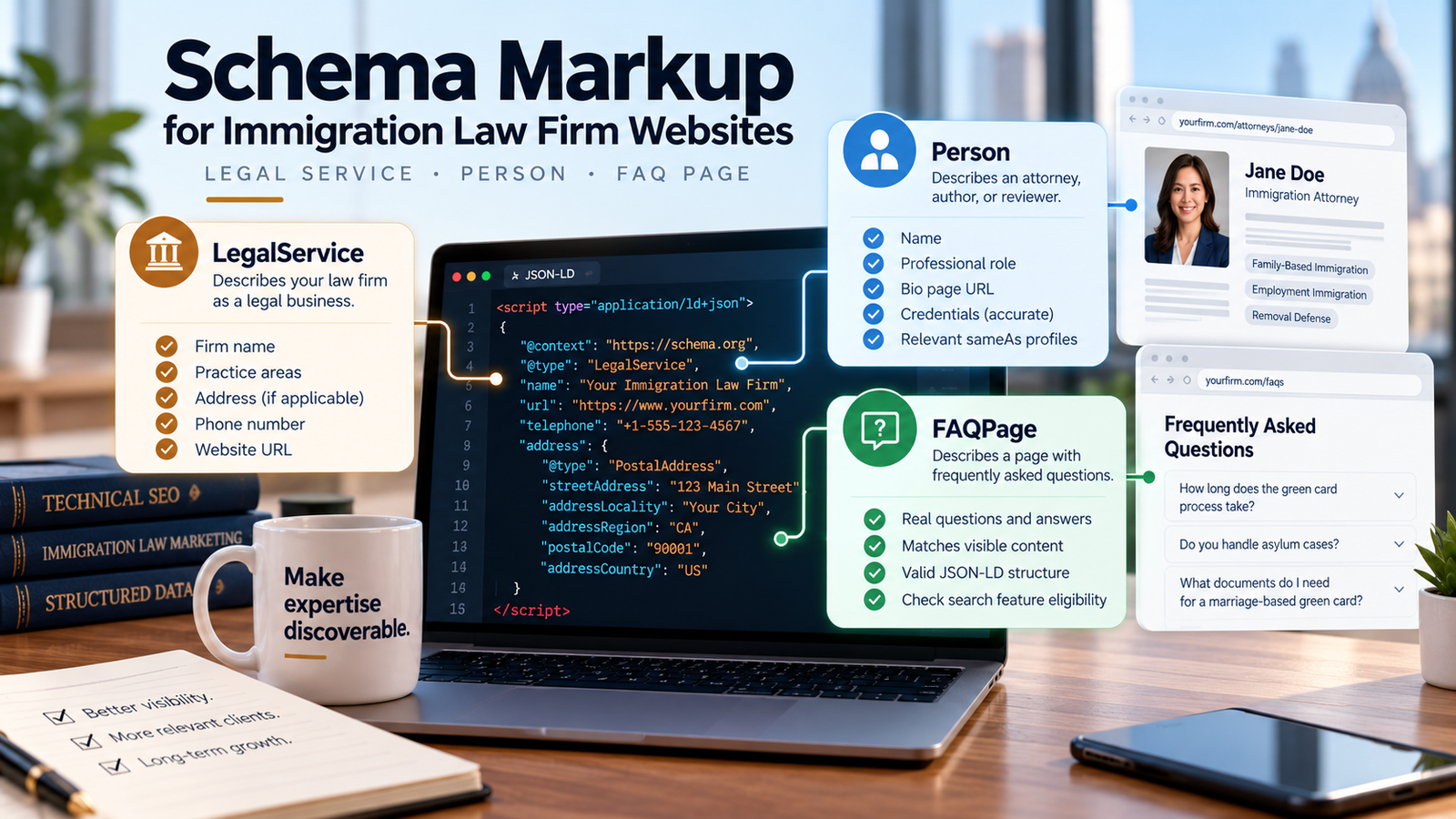
This guide covers the three types that come up most on a schema markup for law firm website project: LegalService, Person, and FAQPage. You'll see what each describes, a complete example of each, how to test it, and what to expect from it. That last part changed this year, and it's worth knowing before you spend a developer's time.
Key takeaways
- LegalService describes the firm, Person describes an individual, and FAQPage describes a page of questions and answers. They aren't a mandatory bundle.
- Markup must match what visitors can see. Google says not to mark up information that isn't visible to the user.
- Valid markup and Google rich-result eligibility are different things. Google stopped showing FAQ rich results on May 7, 2026.
- Schema helps search engines interpret a page. It isn't a confirmed route to AI citations.
What is schema markup, and why does it matter?
Schema markup is a standardized way to describe a page or entity in a form software can read. The vocabulary comes from Schema.org. The format Google recommends is JSON-LD, a block of code that sits in the page and describes it without changing what visitors see.
Think of it as a label, not an argument. Your page says in plain language that the firm handles family-based petitions. The markup says in code that the page belongs to a legal service with this name, this address, and these attorneys. If the two disagree, the code loses.
Google's introduction to structured data says to avoid markup about information that isn't visible to the user, even if it's accurate. It also doesn't promise any special display. Eligibility depends on the feature, its required properties, and Google's own judgment.
LegalService: describing the law firm
The LegalService type describes a business that provides legal services. In Schema.org's hierarchy it sits under LocalBusiness, which sits under Organization, so it inherits their properties, such as address and telephone. Google's local business guidance says to use the most specific subtype available and lists only two required properties for its feature: name and address.
Here is a hypothetical firm. Every name, address, and URL below is invented for the example.
{
  "@context": "https://schema.org",
  "@type": "LegalService",
  "@id": "https://www.example.com/#firm",
  "name": "Example Immigration Law Group",
  "url": "https://www.example.com/",
  "telephone": "+1-555-555-0100",
  "address": {
    "@type": "PostalAddress",
    "streetAddress": "100 Main Street, Suite 200",
    "addressLocality": "Springfield",
    "addressRegion": "IL",
    "postalCode": "62701",
    "addressCountry": "US"
  },
  "areaServed": { "@type": "State", "name": "Illinois" },
  "sameAs": ["https://www.linkedin.com/company/example-immigration-law-group"]
}@idgives the firm one stable identifier that other markup can reference. Use the same one everywhere.name,address, andtelephoneshould match your site, your Google Business Profile, and your directory listings. Inconsistent details are a standing local SEO problem; our guides to local SEO for immigration law firms and the Google Business Profile checklist for immigration attorneys cover the rest.areaServedstates where you represent clients. List only places you genuinely serve.sameAspoints to official profiles of the same entity.
None of these properties is mandatory for every site, and none guarantees a rich result. Add a property only when you can keep it accurate.
Person: describing an attorney or author
The Person type describes an individual. Use it for an attorney on a bio page or for the author of an article. Schema.org's Attorney type is something different: a business type under LegalService, not a way to mark up one lawyer.
{
  "@context": "https://schema.org",
  "@type": "Person",
  "name": "Jordan Rivera",
  "jobTitle": "Attorney",
  "url": "https://www.example.com/attorneys/jordan-rivera/",
  "worksFor": {
    "@type": "LegalService",
    "name": "Example Immigration Law Group",
    "url": "https://www.example.com/"
  }
}urlshould point to a real bio page for that person.jobTitlemust match what the bio says.worksForconnects the person to the firm.
Mark up only what the bio page shows. Don't add bar admissions, awards, or credentials the page doesn't state. Person is general vocabulary, and using it doesn't qualify a page for a special Google feature.
FAQPage: describing a page of questions and answers
The FAQPage type describes a page that presents questions with their answers. It fits a genuine FAQ page, or a post with a real FAQ section. The text in the markup should reproduce the visible question and answer.
{
  "@context": "https://schema.org",
  "@type": "FAQPage",
  "mainEntity": [
    {
      "@type": "Question",
      "name": "How do I prepare for a first consultation?",
      "acceptedAnswer": {
        "@type": "Answer",
        "text": "Bring identity documents, any notices you have received, and a short timeline of your immigration history."
      }
    }
  ]
}
Here is the part that has changed. Google's FAQ structured data documentation says FAQ rich results stopped appearing in Google Search as of May 7, 2026, and that Google would drop the FAQ report and Rich Results Test support in June 2026. FAQPage is still valid Schema.org vocabulary, and nothing I found says existing markup must be removed. But no immigration firm should add it expecting expandable results in Google.
We still mark up our own FAQs, because the markup matches visible text and costs little. Treat it as housekeeping, not a growth lever.
How do LegalService, Person, and FAQPage work together?
| Type | What it describes | Where it belongs |
|---|---|---|
| LegalService | A business providing legal services | The firm, usually defined once and referenced elsewhere |
| Person | An individual | An attorney bio page, or the author of an article |
| FAQPage | A page of questions and answers | A genuine FAQ page or FAQ section |
These types aren't interchangeable, and they aren't a bundle. A bio page may need Person and no FAQPage. A FAQ page needs FAQPage and may need neither of the others.
Define the firm once, give it an @id, and reference that @id instead of retyping details. Put related entities in one @graph so the reference resolves:
{
  "@context": "https://schema.org",
  "@graph": [
    {
      "@type": "LegalService",
      "@id": "https://www.example.com/#firm",
      "name": "Example Immigration Law Group",
      "url": "https://www.example.com/"
    },
    {
      "@type": "Person",
      "@id": "https://www.example.com/attorneys/jordan-rivera/#person",
      "name": "Jordan Rivera",
      "jobTitle": "Attorney",
      "worksFor": { "@id": "https://www.example.com/#firm" }
    }
  ]
}
In my view, two conflicting descriptions of the same firm do more harm than none. That happens when a plugin and a hand-pasted snippet both describe the firm with slightly different details.
How do you add schema to an immigration law firm website?
The workflow varies by CMS, plugin, or custom build. The sequence doesn't:
- Identify the page or entity you're describing.
- Choose the Schema.org type that accurately fits it.
- Confirm every property matches the visible page and your real business details.
- Write or generate the JSON-LD.
- Check what your SEO plugin or theme already outputs, so you don't describe the same entity twice.
- Validate syntax and vocabulary.
- Check Google-specific eligibility separately, where a feature exists.
- Monitor after launch and update the markup whenever the page changes.
If you'd rather have this audited, our website and technical SEO for immigration lawyers work covers schema alongside site structure and on-page fixes.
How do you test and validate schema markup?
Three tools answer three different questions.
- The Schema Markup Validator checks whether Schema.org markup is well formed. It doesn't tell you whether Google will use it.
- Google's Rich Results Test checks whether markup is eligible for the rich result features Google supports.
- Google Search Console shows rich result status reports after launch, and its URL Inspection tool confirms that Google found your markup.
Problems fall into three kinds. A syntax error is broken JSON, such as a missing comma. A vocabulary issue is a property that doesn't exist on that type. An eligibility issue is valid markup that lacks a property a specific Google feature requires.
A clean test means the markup is readable. It doesn't mean the page will be indexed, displayed differently, ranked higher, or cited.
What schema mistakes should immigration law firms avoid?
- Marking up information visitors can't see on the page.
- Entering business details that differ from the website or Business Profile.
- Describing the same firm twice with conflicting details.
- Using the wrong type, such as Attorney for an individual lawyer.
- Adding credentials or reviews the page doesn't show.
- Treating every property as mandatory, or assuming valid markup produces a rich result.
- Adding FAQPage markup to chase a search display Google no longer offers.
- Using schema as a substitute for accurate, useful content.
Does schema markup improve AI search visibility?
It can help describe entities and pages, but it isn't a confirmed route to AI citations. Google's guidance on AI features and your website says you don't need to create new machine readable files, AI text files, or markup to appear in AI Overviews and AI Mode.
What decides whether a page is a candidate is the same list as in regular search: crawlable, indexed, eligible for a snippet, accurate, and clearly authored. I cover that list in AI search visibility for immigration lawyers. Schema belongs after those basics, not before them.
A practical schema checklist
- Each schema type matches its page or entity.
- Business and attorney details are accurate and consistent.
- The markup matches the visible content.
- The firm is defined once and referenced by
@id. - The JSON-LD has been validated for syntax and vocabulary.
- Google feature eligibility has been checked separately.
- No ranking or AI-citation claims have been made.
- Someone owns future review and maintenance.
Accurate markup beats a long list of types. Every page should have a job, and so should every block of structured data on it.
Not sure what your site's markup actually says?
We'll look at your current visibility, the competitive landscape, and the clearest opportunities we see.
Frequently asked questions
What schema markup should a law firm website use?
It depends on what the site contains. LegalService can describe the firm, Person can describe an attorney or author, and FAQPage can describe a genuine FAQ page. Use only the types that accurately match your visible content.
What is the difference between LegalService and Person schema?
LegalService describes a business that provides legal services. Person describes an individual, such as an attorney or an article's author. They can reference each other but describe different entities.
Does FAQPage schema guarantee FAQ rich results?
No. Google's documentation says FAQ rich results stopped appearing in Google Search as of May 7, 2026. FAQPage remains valid Schema.org vocabulary, but it should not be added to earn expandable results.
Can schema markup guarantee AI citations?
No. Structured data can help describe a page and its entities, but Google says no special markup is needed to appear in its AI features. Accurate content, crawlability, and clear authorship matter more.
How do you test schema markup on a law firm website?
Use the Schema Markup Validator for syntax and vocabulary, Google's Rich Results Test for supported Google features, and Search Console to monitor the live page. A passing test does not guarantee a rich result or a ranking.
Yemi Oyedepo
Works with immigration law firms on technical SEO, structured data, and AI search visibility. Has led local, bilingual, and content SEO programs for 30+ immigration firms nationwide, with an average 4.9-star client rating. See the full results. More about our team and approach →
Immigration Lawyer SEO Expert is a marketing consultancy and does not provide legal services or legal advice. The code examples are illustrative and use invented details; have a developer review and test any markup before deploying it. Search engine documentation changes often. We last reviewed the sources cited here on October 29, 2026, and will review this guide again by March 2027.